WORKFLOWS / THE BUYER’S GUIDE
4 approaches to
AI workflow automation, compared.
Portacode, Make, Zapier or n8n? The right starting point depends on whether you need to connect existing apps or build the workspace around the process.
The shortlist, at a glance
4 options. Different starting points.| The option | Consider it for | The deciding question | Read the review |
|---|---|---|---|
 PortacodeApps + agents + operations | Custom apps and agents operating together | Do you need to build the working system, not just connect existing apps? | ↗ |
 MakeVisual branching workflows | Visual scenarios across connected apps | Does the workflow need visible branches, routes and filters? | ↗ |
 ZapierManaged app connections | App-to-app automation with managed connections | Are the exact triggers and actions available for the apps you use? | ↗ |
 n8nVisual logic, code and hosting choices | Visual workflows with code and deployment choices | Who will own custom logic, credentials and the runtime? | ↗ |
THE QUICK ANSWER
Connect the apps—or shape the whole process?
- If you need visual routing and branches between existing apps, explore Make.
- If you already have the right apps and need to connect their triggers and actions, explore Zapier.
- If you need configurable workflow logic and have someone to own the code and deployment choices, explore n8n.
- If your small business needs a custom workflow app connected with website enquiries, business email and agent-assisted work, explore Portacode.
A CLOSER LOOK
Where each workflow approach fits
Portacode
Build the process and the workspace around it.
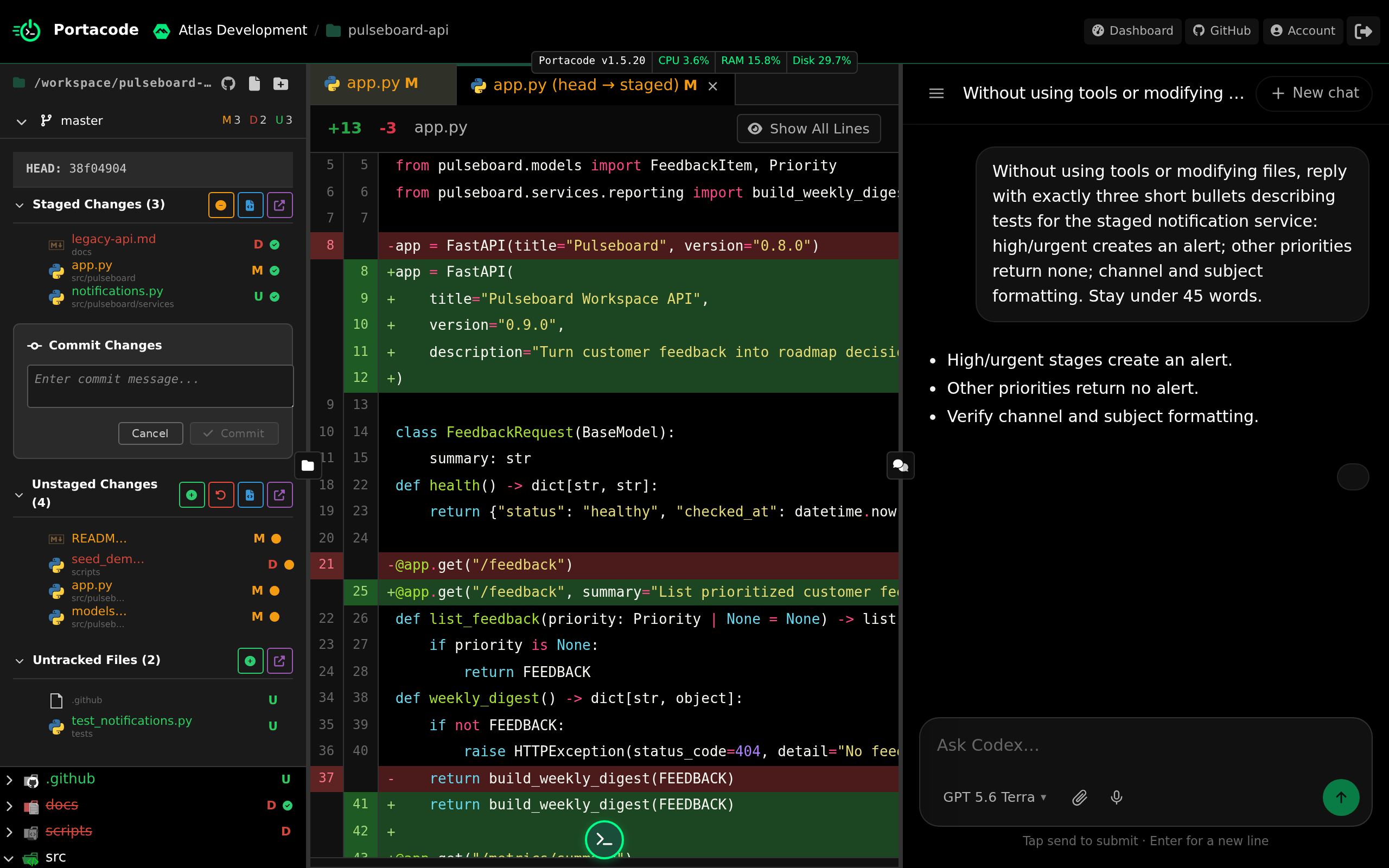
Portacode connects custom applications with AI agents, persistent computers, websites and business email. Rather than starting with a connector catalog, you can shape the application and agent work together.
A small service business could build an enquiry record, a review screen and an agent that prepares the response. The useful fit is a process that needs its own software as well as automation.
- Why choose it
- Your small business needs a custom workflow app connected with website enquiries, business email and agent-assisted work.
- What to check
- You build and test the workflow; do not assume a ready-made visual automation catalog.
Make
A visual map of how information moves between connected apps.
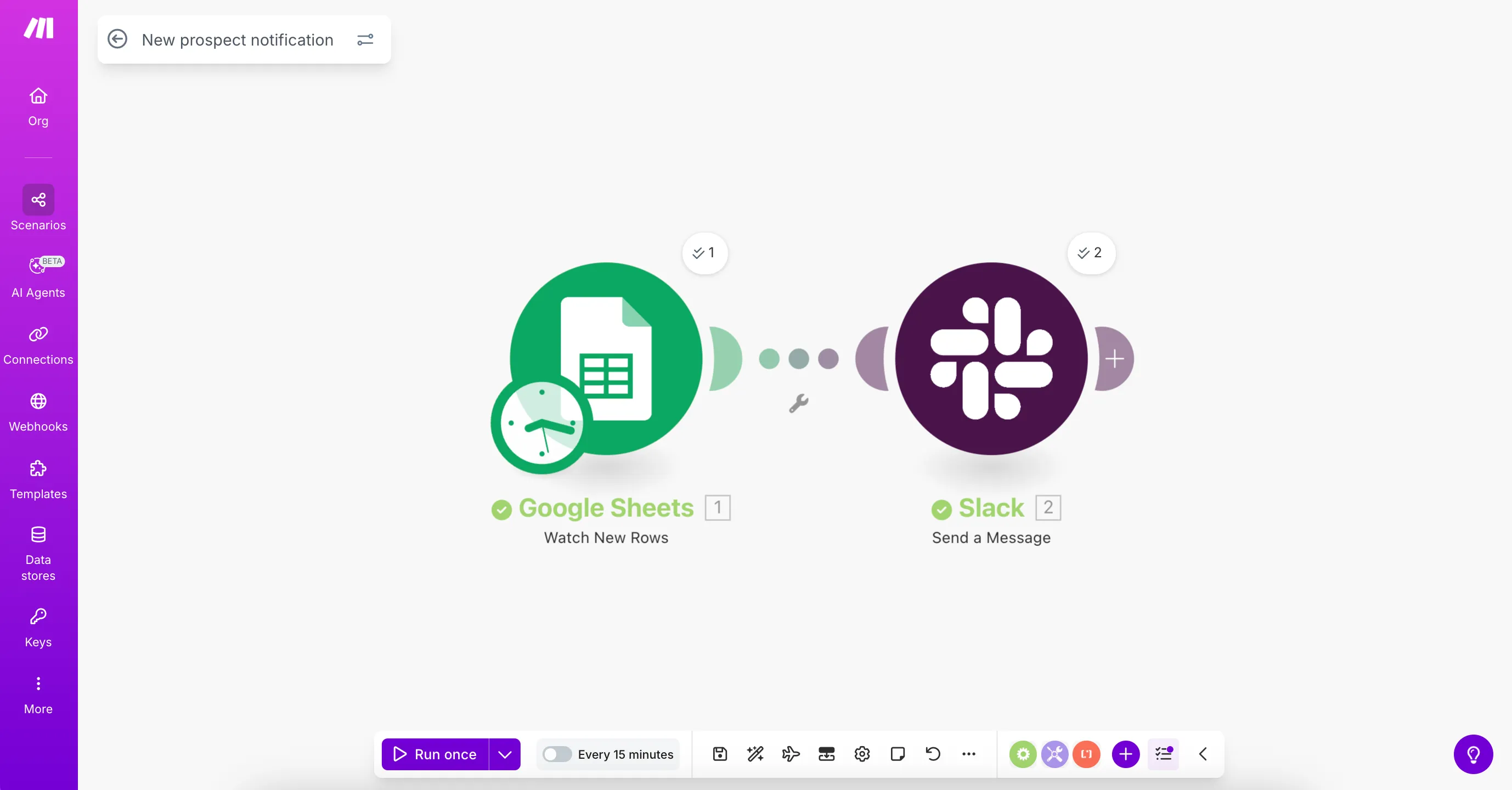
A visual automation platform for connecting applications, managing branching scenarios and building AI-assisted workflows.
- Why choose it
- You need to inspect routes, filters and branches in an app-to-app workflow.
- What to check
- Inspect branch logic, usage accounting and connector behavior.
Zapier
A practical starting point when your business already has the right apps.

An automation platform with app connections, workflows, agents, forms and tables.
- Why choose it
- The missing step is a trigger or action between tools you already use.
- What to check
- Check the exact triggers and actions needed, not only whether an app is listed.
n8n
A workflow canvas with room for code and a choice of operating model.
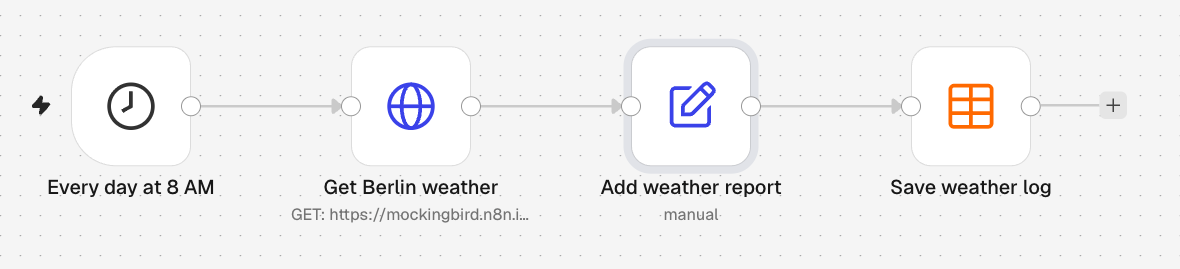
A workflow platform with visual steps, code and AI capabilities, available through cloud and self-hosted deployment routes.
- Why choose it
- You have someone to own custom logic, credentials and the workflow’s runtime.
- What to check
- Self-hosting brings maintenance responsibilities; compare them with the cloud route.
BEFORE YOU CHOOSE
Test the exception, too.
Use one enquiry-to-reply workflow. Include a missing field, a duplicate submission and a step that needs approval. The useful test is what happens after the first successful run.
- Process shape Does the workflow connect existing tools, or does it require a new application and data model?
- Failure behavior Define what happens when a step times out, inputs are missing or a model returns an uncertain answer.
- Operating control Decide who owns credentials, changes, logs, approval and recovery. A workflow needs an operator after launch.
Pick the approach your team can understand, recover and change when the process evolves.
Choose a workflow architectureA few practical questions
Does every workflow need an AI agent?
No. Deterministic rules are often simpler for known fields and predictable routing. Add AI where interpretation or generation is useful.
Is Portacode a ready-made visual workflow builder?
This comparison treats Portacode as a workspace for building and operating custom applications and agent workflows, not as an established drag-and-drop connector catalog.
Can a workflow send email automatically?
That depends on the configured software, account permissions and approval rules. Start with a reviewed draft path and verify delivery behavior before expanding automation.
How should I compare workflow costs?
Include platform fees, executions, model usage, compute and the time spent maintaining connections and reviewing outputs.
KEEP READING
Design an AI workflow before choosing toolsAn AI workflow launch checklist